


Blog
Mastering Digital HF: What You Need to Know About Software Setups
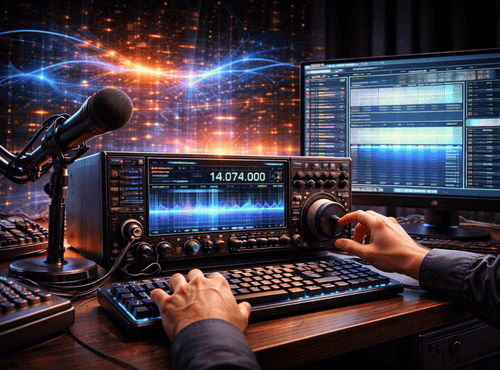
Digital HF has transformed long-distance radio from simple voice links into a sophisticated data network. Modern operators now exchange emails, position reports, images, and automated messages across thousands of kilometres using nothing more than an HF transceiver and a laptop. The key to this capability is not only the radio itself but the software that manages sound cards, protocols, and interfaces.
For advanced users, mastering digital HF means understanding how software components fit together. A well-configured system delivers reliable communication even in poor propagation, while a poorly planned setup leads to frustration and missed contacts. This guide explores the essential knowledge required to build professional-grade digital HF stations.
Understanding the Digital HF Ecosystem
Digital HF is not a single technology but a collection of modes and applications. Each mode uses different modulation schemes to push data through the narrow bandwidth of HF channels. Software acts as the brain that encodes and decodes these signals.
At its core, a digital station requires three elements: a transceiver, an interface to connect audio and control lines, and a computer running specialised programs. The interaction between these parts determines overall performance more than any individual component.
Choosing the Right Modes
Advanced operators quickly discover that no single digital mode suits every situation. Robust modes such as JS8Call or FT8 excel in weak signal conditions but are slow for large files. Faster protocols like VARA HF or PACTOR handle email efficiently yet demand cleaner links.
Selecting the correct mode involves balancing speed, reliability, and licensing considerations. Experienced users maintain several options and switch according to propagation and mission needs.
The Role of Sound Cards and Interfaces
Software relies on accurate audio exchange with the radio. External sound-card interfaces isolate levels, prevent ground loops, and provide push-to-talk control. Built-in computer sound cards can work, but dedicated interfaces usually deliver superior stability.
Correct level adjustment is critical. Too much audio causes distortion and splatter, while too little reduces decode success. Software meters should be used to fine-tune transmit and receive gain before any serious operation.
Installation Foundations
A professional setup begins with a clean computer environment. Conflicting drivers, unnecessary background applications, and power-saving features can interrupt digital sessions. Many operators dedicate a single laptop solely to radio tasks.
Installing software in the recommended order avoids common conflicts. Interface drivers should be added before digital applications, followed by CAT control programs that allow frequency and mode changes from within the software.
Configuring CAT Control
Computer Aided Transceiver control links software with radio settings. Through CAT, programs can read frequency, switch modes, and key the transmitter automatically. This integration prevents mistakes that occur when adjustments are made manually on the front panel.
Advanced users map CAT commands carefully, ensuring the correct COM ports and baud rates. Testing each function step by step saves hours of troubleshooting later.
Managing Audio Paths
Digital performance depends heavily on audio routing. Operators must ensure that the correct input and output devices are selected within each program. Operating systems often change these settings after updates, a frequent source of sudden failures.
Creating a written configuration record helps restore settings quickly. Some users employ virtual audio cables to route signals between multiple applications simultaneously.
Building Message Workflows
Software setups should reflect real communication workflows. For example, an emergency team may require quick template messages for medical or logistics reports. Digital applications allow these templates to be stored and sent with minimal typing.
Advanced users also configure automatic acknowledgements, forwarding rules, and address books. These features transform HF into a functional messaging platform rather than a simple keyboard chat tool.
Propagation and Waterfall Interpretation
Digital modes present signals visually through waterfalls and spectrums. Learning to read these displays is essential. Experienced operators recognise interference, over-driven audio, or off-frequency transmission at a glance. The Australian Government Bureau of Meteorology notes that HF communication via the ionosphere is free and, with proper frequency management, HF can provide reliable long-distance communications 24 hours a day.
Software often includes tools for frequency calibration and time synchronisation, both vital for modes that rely on precise timing such as FT8. Regular checks maintain decode accuracy.
Security and Encryption
Many organisations require secure communication. Some digital HF packages support encryption or integration with external security devices. Users must understand local regulations before activating these features.
Key management, password protection, and secure backups become part of the operator’s responsibilities. A sophisticated setup is only useful if it remains protected from misuse.
Logging and Record Keeping
Digital programs automatically log contacts with time, frequency, and signal reports. Advanced users integrate these logs with mapping tools to analyse coverage patterns. Historical data assists in antenna adjustments and schedule planning.
Backing up logs is as important as backing up configurations. They provide proof of communication during audits or incident reviews.
Remote Operation Considerations
Modern software enables remote HF stations controlled over the internet or local networks. Latency, firewall rules, and audio compression all affect performance. Successful remote setups require careful testing under realistic conditions.
Power management is another factor. Stations should recover gracefully after outages, with software configured to restart automatically.
Troubleshooting Methodology
When problems arise, a systematic approach saves time. Operators should isolate components: test the radio alone, then the interface, then the software. Monitoring transmitted audio with a secondary receiver quickly reveals distortion.
Keeping spare cables and a basic analogue microphone allows verification that the radio itself remains healthy.
Staying Current
Digital HF evolves rapidly. New versions introduce better error correction and higher speeds. Advanced users subscribe to developer forums and update responsibly, testing changes before deploying them on critical systems.
Reading release notes prevents surprises and ensures compatibility with existing workflows.
Training and Practice
Even experts benefit from regular practice sessions. Simulated exercises using message templates and weak-signal tests maintain skills for real emergencies. Sharing knowledge within clubs or teams strengthens overall capability.
Documenting procedures in simple checklists helps newcomers reach the same level quickly.
Bringing It All Together
Mastering digital HF is ultimately about integration. The radio, interface, and software must operate as a single system. Attention to detail in setup rewards the operator with dependable global communication that rivals far more expensive technologies.
With patience and experimentation, advanced users can push HF far beyond traditional voice, turning their stations into powerful data gateways.
For quality interfaces, recommended software packages, and expert guidance on building reliable digital HF setups, visit Satellite World Store.
Frequently Asked Questions
1. What is Digital HF and how does it work?
Digital HF uses specialised software to encode and decode data signals transmitted over high frequency radio. Instead of voice only, operators can send emails, position reports, images, and automated messages using a transceiver, interface, and computer.
2. What software is needed for a Digital HF setup?
A typical Digital HF setup requires digital mode software such as Winlink, JS8Call, FT8, VARA HF, or PACTOR applications, along with CAT control software and compatible interface drivers to manage audio and radio control.
3. Do I need a sound card interface for Digital HF?
While some radios can use built-in sound cards, a dedicated sound-card interface improves signal stability, isolates audio levels, prevents ground loops, and provides reliable push-to-talk control for professional setups.
4. What is CAT control in Digital HF systems?
CAT, or Computer Aided Transceiver control, allows software to read and change radio frequency, modes, and transmit control automatically. It reduces operator error and integrates the radio directly with digital applications.
5. Is Digital HF reliable for long-distance communication?
Yes. When properly configured, Digital HF can provide reliable long-distance communication using ionospheric propagation. With correct mode selection, timing synchronisation, and audio adjustment, it performs effectively even in weak signal conditions.